Implementing an integrated business solution can change how a company manages its daily operations. Before and after ERP implementation, businesses can see improvements in communication, data management, order processing, and overall efficiency.
Before ERP System Implementation
Before ERP system implementation, different departments may rely on separate tools and records. Sales, manufacturing, finance, and inventory teams may not have easy access to the same information, which can slow down processes and order fulfilment.
Scattered or outdated data can create another challenge. Businesses that rely heavily on spreadsheets and manual records may struggle to maintain accurate information. Without a connected system, decision-makers have less visibility into what is happening across the business.
How ERP Solves These Problems
An ERP system connects key business functions through one system. Sales, inventory, manufacturing, and finance teams can work with shared information instead of maintaining separate records.
Access to updated data can also help teams make decisions faster. Instead of relying on old reports or manually collecting information, decision-makers can access the data they need and spend less time on repetitive tasks.
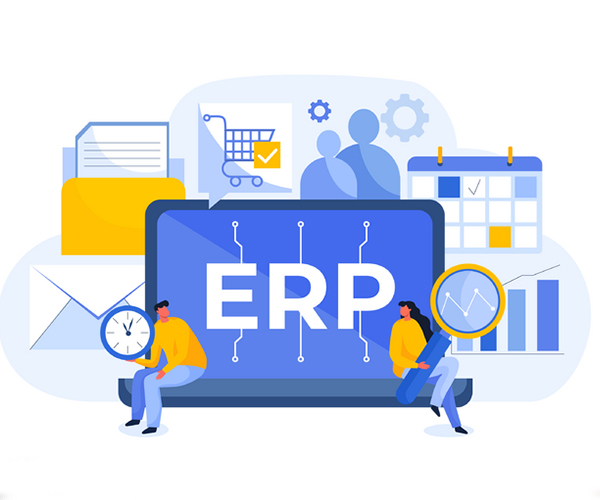
Before and After ERP: What Changes?
Faster Communication and Order Processing
Before ERP, sales and manufacturing teams may work with different information, which can result in delays and errors during order fulfilment.
After implementation, these departments can work with connected information. Production teams can check stock levels and schedules, helping them understand what needs to be produced and when. This can make order processing more efficient and easier to monitor.
Smarter Inventory Management
Inventory becomes difficult to manage when records are inaccurate or spread across different systems. Businesses can end up with too much or too little stock, while tracking shipments and deliveries manually increases the risk of errors.
An ERP system provides a centralized way to manage inventory. Tools such as barcodes and mobile devices can also make it easier to track products, shipments, and deliveries.
Deployment vs Implementation: What’s the Difference?
- Deployment involves setting up the system and making it available for use.
- Implementation covers the wider process of preparing the business, configuring the system, training employees, and adapting processes.
A successful ERP project requires attention to both the technical setup and the way employees and departments will use the system.
How ERP Improves Data Management
Before ERP, businesses may depend on paper records, spreadsheets, or disconnected tools. This can make it difficult to access complete and consistent information.
After implementation, centralized data and detailed reports make information easier to access and review. Moving away from paper-based processes can also reduce paperwork and make audits easier.
Better-organized data gives teams a clearer view of business performance and supports more informed decisions.
Benefits After ERP Implementation
Better Access to Business Data
A centralized ERP system gives decision-makers access to important business information in one place. Depending on the system and setup, data can be updated in real time or at defined intervals, helping teams monitor operations and respond to changes.
Improved Customer Experience
When inventory, orders, and other processes are better coordinated, businesses can process orders more efficiently. Accurate stock information and timely deliveries can improve the customer experience and build trust.
Support for Business Growth
An ERP system can support businesses as they expand, add products, or change their operations. By reducing repetitive work and improving processes, businesses can also make better use of their time and resources.
Steps for a Successful ERP Implementation
A successful integrated business solution requires proper planning.
- Set clear goals: Identify what you want to improve, such as reducing order delays or improving inventory tracking.
- Choose the right approach: Select an ERP setup that matches your business requirements and processes.
- Build a team: Involve employees from different departments who can contribute to the implementation.
- Train employees: Make sure staff understand how to use the system and how their workflows will change.
- Track progress: Monitor the system after implementation and make adjustments where necessary.
Conclusion
The difference before and after ERP implementation often comes down to how information and processes are managed. Businesses can move away from disconnected records and manual processes toward a more centralized approach.
With proper implementation, employee training, and planning, ERP can improve communication, inventory management, data access, and order processing while providing a stronger foundation for business growth.
FAQs
Q1: What changes after ERP implementation?
A: After ERP implementation, businesses can centralize information, connect departments, improve inventory management, and reduce repetitive manual processes.
Q2: What is the difference between ERP deployment and implementation?
A: Deployment refers mainly to setting up and making the ERP system available, while implementation covers the broader process of configuring the system, preparing employees, and adapting business processes.
Q3: Does ERP provide real-time data?
A: Some ERP systems can provide real-time data, but this depends on the system, configuration, and how information is collected and updated.